Lunch-and-Learns: Reality Capture for Your Whole Team
Reality Capture Is Easier Than It Looks
Hands-on demos and practical training to help your team get started
If you’ve looked at laser scanning and thought, “That looks great, but where would we even start?” you’re not alone.
Understanding the technology is one thing. Knowing how it fits your projects, your people, and your everyday workflow is another.
At Point3D, we help you make that connection through relaxed lunch-and-learn sessions and practical team training. Whether you’re exploring reality capture for the first time or already have a scanner ready to use, we’ll help you find a starting point.
What Is Reality Capture?
Reality capture uses tools such as laser scanners to collect measurements of existing spaces, structures, and sites. Those measurements create a digital representation—often called a point cloud—that teams can use for design, documentation, planning, and coordination.
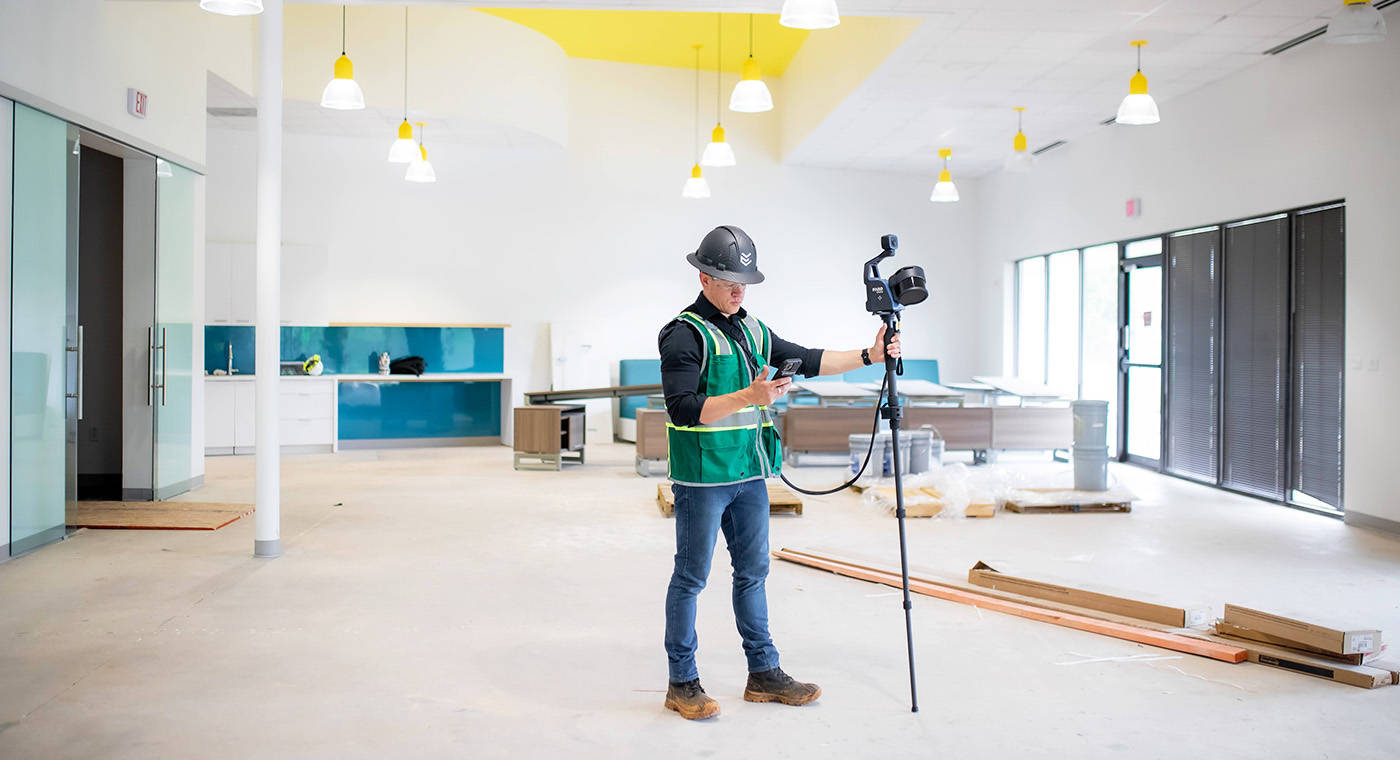
Many modern scanners make collecting data more approachable. Depending on the equipment and project, capture may involve setting up a scanner or walking through a space with a mobile device.
The key is knowing what to capture, how to check it, and how to turn the results into something your team can use.
Explore the Possibilities With a Lunch-and-Learn
A lunch-and-learn gives your team a chance to see reality capture in action and ask questions without needing any prior experience.
We bring the equipment to your office and spend about an hour with your team over lunch. The session is hands-on and built around the work you do.
Together, we’ll:
- Try the equipment. Get familiar with the scanner and see how it works.
- Scan your space live. Watch the capture process, then explore the results on screen.
- Discuss your projects. Talk through where scanning could save time, what its limitations are, and when another approach may make more sense.
It’s a useful first step for curious teams and firms considering whether to bring reality capture in-house.

Build Confidence With Training for Your Team
Already own a scanner, or getting ready to purchase one? Our training focuses on your equipment, your software, and the kinds of projects your team handles.
Through a mix of web sessions and on-site field time, we help your people build the skills to work independently—from collecting data to preparing usable deliverables.
In the Field
Learn how to plan a capture, set up the equipment, scan effectively, and check coverage before leaving the site. Knowing what to check while you’re still there can help prevent avoidable return trips.
At the Desk
Work through processing and cleaning up scan data in the software your team will actually use. We connect the fieldwork to the next steps so your team understands the full workflow.
Into Your Existing Tools
Learn how to prepare data for the tools your team already knows, such as CAD, Revit, Civil 3D, or GIS. We focus on what your project needs and how the captured information will support that work.
Support After Training
Questions often come up when you start applying a new skill on a real project. After training, we’re a phone call away to help your team work through them.
Make Better Use of Your Equipment—and Your Team’s Time
Reality capture delivers value when it becomes a practical part of your workflow.
With the right training, your team can check for missing coverage before leaving a site, reduce avoidable return visits, and share capture responsibilities across more people.
It also helps you get more use from the equipment you’ve invested in. A scanner sitting on a shelf doesn’t save time. A team that knows when and how to use it can.
Start With Your Questions
You don’t need scanning experience to book a session. Bring your questions, tell us about your projects, and we’ll help you explore what makes sense for your team.
Whether you’re looking for an introduction over lunch or hands-on training with your own equipment, we’d be happy to help.
Tell us roughly how many people will attend and what kind of work you do. We’ll take it from there.