

FARO Stream 4.2.2 Update: Orbis Premium User Experience Improvements
We would like to inform you about a new round of user experience improvements for the FARO scanners.
FARO has released FARO Stream App version 4.2.2, which specifically enhances system behavior and user guidance when Orbis Premium is shut down in an uncontrolled manner.
In rare situations, such as a temporary depletion of the system’s main battery or removal of the main battery connected to the data logger during a scan, the scanning process may be interrupted. In these cases, the camera can temporarily disconnect from the system.
New User Guidance in Stream 4.2.2
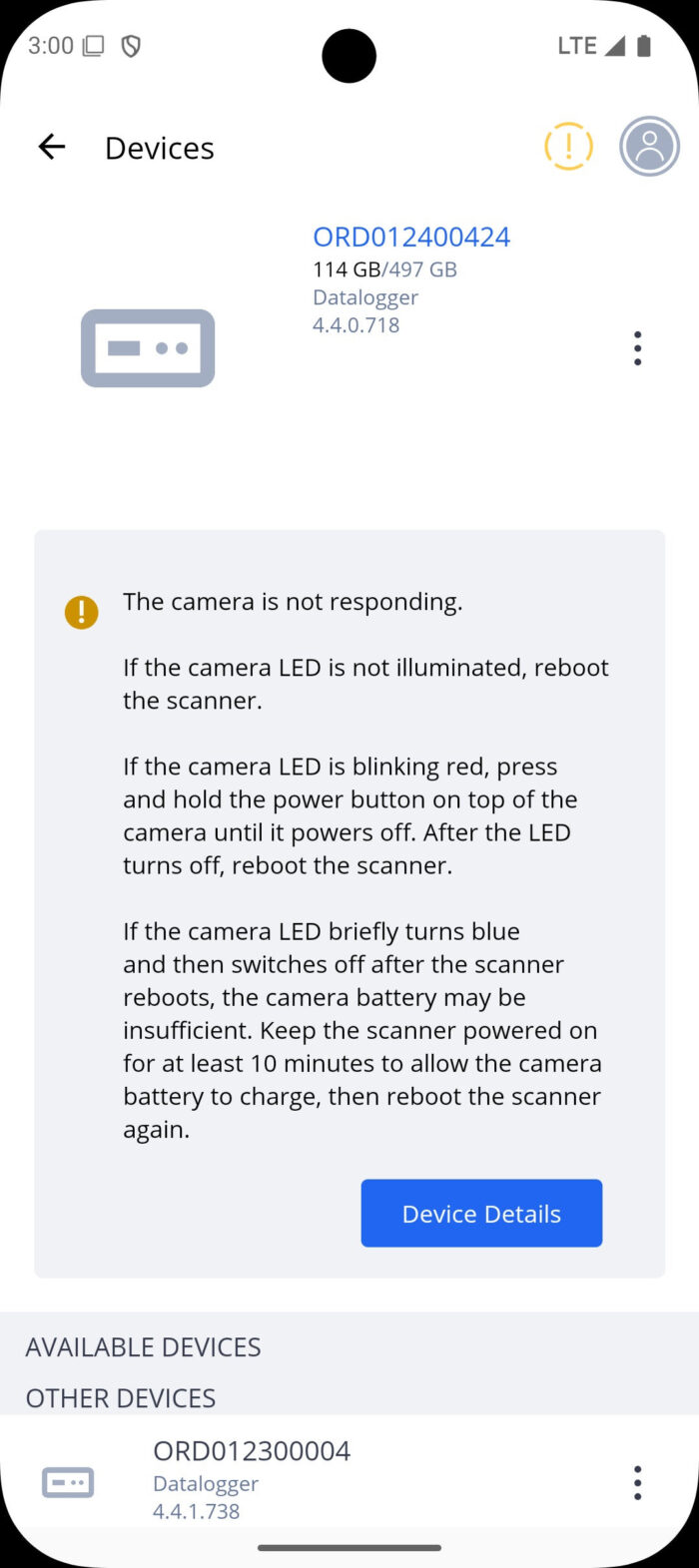
Improved warnings and instructions If this situation occurs, the Stream App now displays a warning icon on the device symbol (top right of the screen), along with a message indicating that the Orbis camera is not responding. The message also clearly explains the steps the user needs to take to resolve the issue independently.
Enhanced Device Details screen
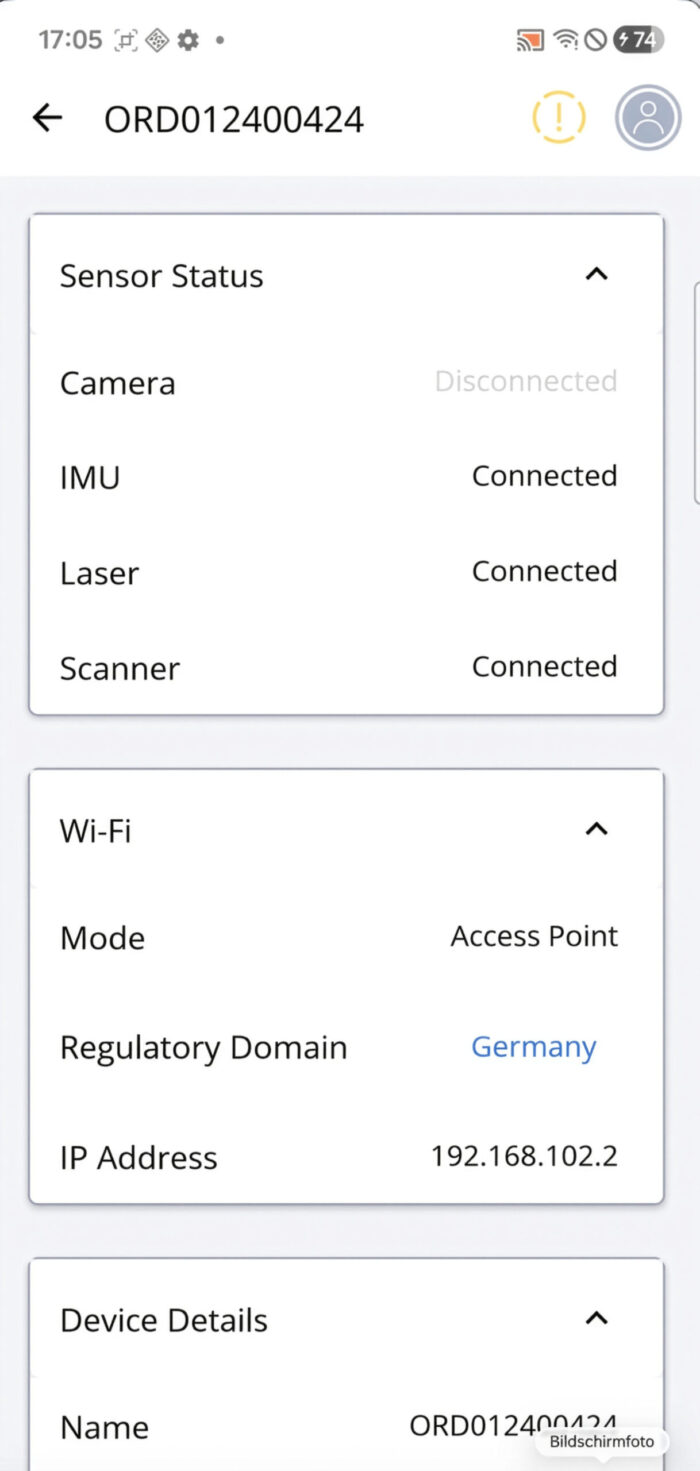
The Device Details screen has been enhanced to show the connection status of all system sensors. If an interruption occurs, the camera will be shown as “Disconnected”.
Solution
(Also applicable when Orbis Premium is used without the Stream App)
Please check the camera status LED in the Device Options, as illustrated below, and follow the corresponding steps:
Camera LED is not illuminated
→ Reboot the scanner.
Camera LED is blinking red
→ Press and hold the power button on top of the camera until it turns off.
→ Once the LED is off, reboot the scanner.
Camera LED briefly turns blue and then switches off after reboot
→ The camera battery may be temporarily low.
→ Keep the scanner powered on for at least 10 minutes to allow the camera battery to charge.
→ Then reboot the scanner again.
While this information is not yet included in the current release notes or user manual, our goal is to ensure you have immediate access to practical guidance whenever required.
CLICK to see more Specials, Deals and Updates